Self-Attach Buy Package
The Self-Attach Buy Packages feature enables sub-accounts to manage their SIM cards by attaching or detaching a Buy Package. The Buy Packages are originally created by the parent.
To Self-Attach a Buy Package, make sure these pre-conditions are met in full:
- The sub-account must be tagged as ‘Allow customer to attach SIMs to Buy Plan/Package’ by the parent customer.
- At least one Package must be marked as eligible for use by the sub-account.
A screen capture of the Self-Attach Package dialog box is shown here.
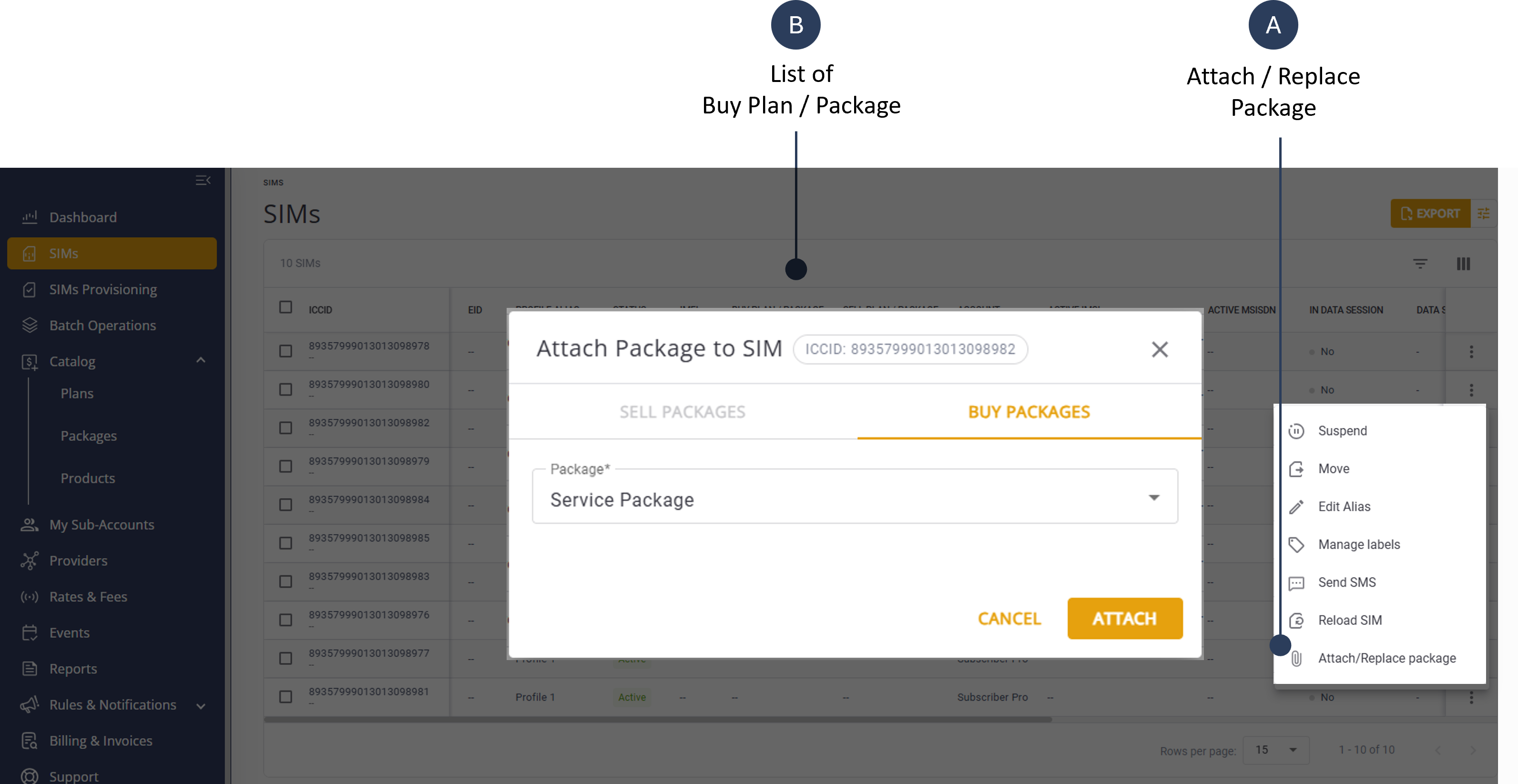
To Self-Attach a Buy Package, do these steps:
- Select SIMs from the sidebar menu.
- Select a SIM row listed in the table and click the Action menu on the right-side.
- Click the Attach/Replace Package option.
- Select the Buy Packages tab.
- Select a Package from the list.
- Click Attach to attach the package to the SIM.